TV Control for Mac

Control your LG TV directly from your Mac.

Switch inputs, control volume, manage power and automate your display without touching the remote.

✓ 100% Local Network ✓ Native macOS App ✓ No Accounts Required ✓ No Tracking
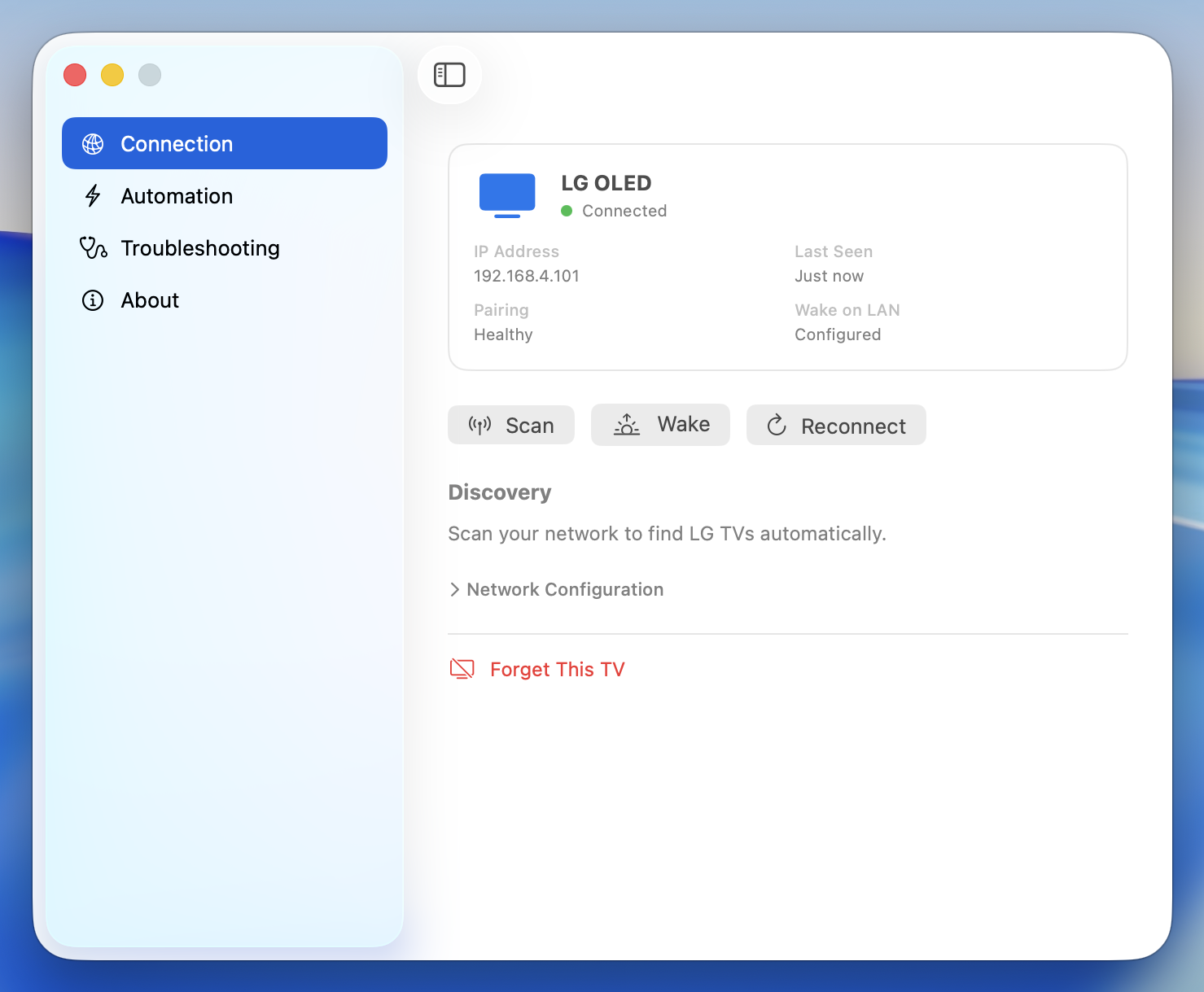
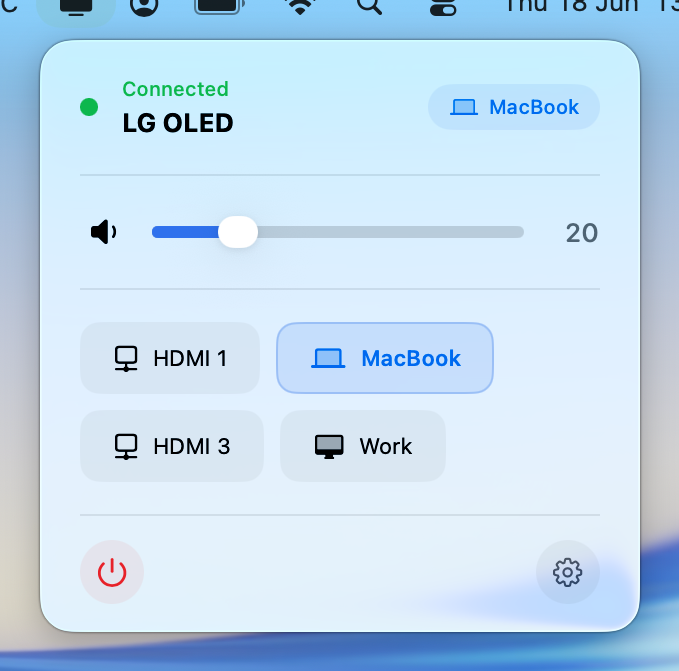
Settings window showing connection status and device information Menu bar popover in connected state

Stop reaching for the remote.

🔊

Volume Control

Adjust TV volume directly from your Mac keyboard or menu bar.

🎛️

Input Switching

Switch between HDMI devices instantly.

Power Control

Turn your TV on and off directly from macOS.

Your TV works the way your Mac does.

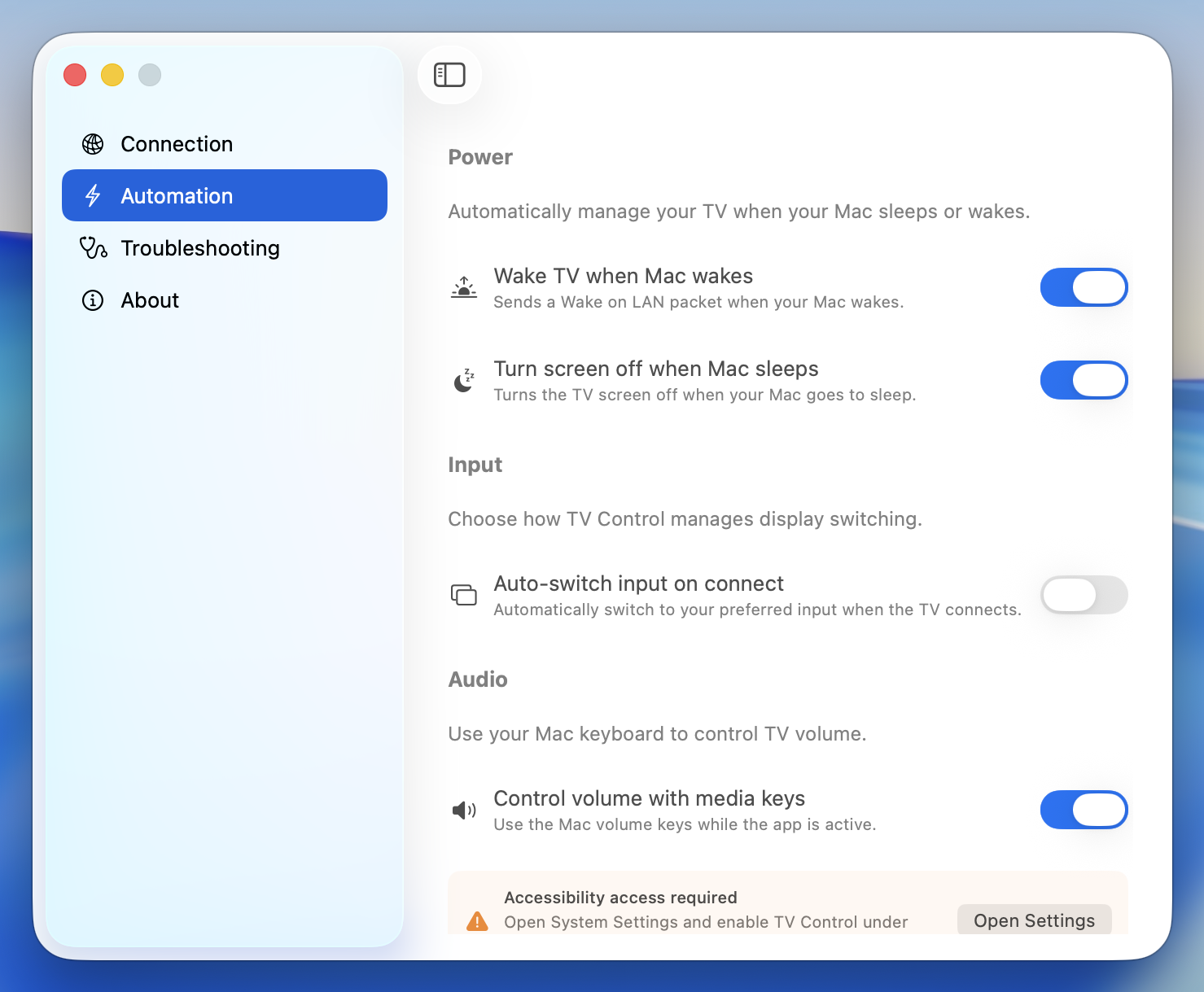
  • Wake TV when Mac wakes
  • Sleep TV when Mac sleeps
  • Automatically return to your Mac input

Completely hands-free. Configure once and forget about it.

Automation preferences showing wake, sleep and input switching toggles

Ready in under a minute.

1
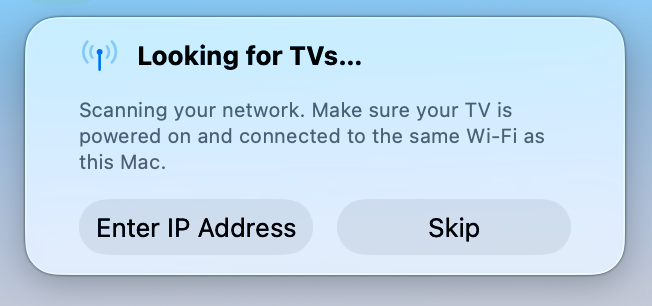
Scanning for LG TVs on the local network

Find your TV

Automatic network discovery finds your LG TV.

2
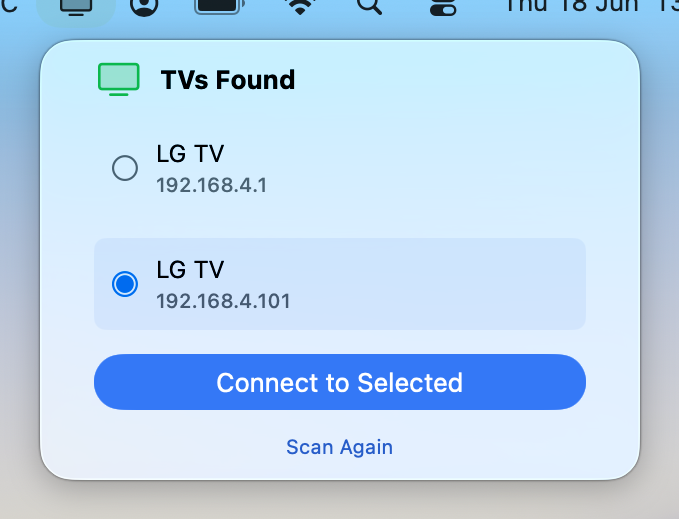
TV discovered and ready to connect

Connect

Select your TV and connect with one click.

3
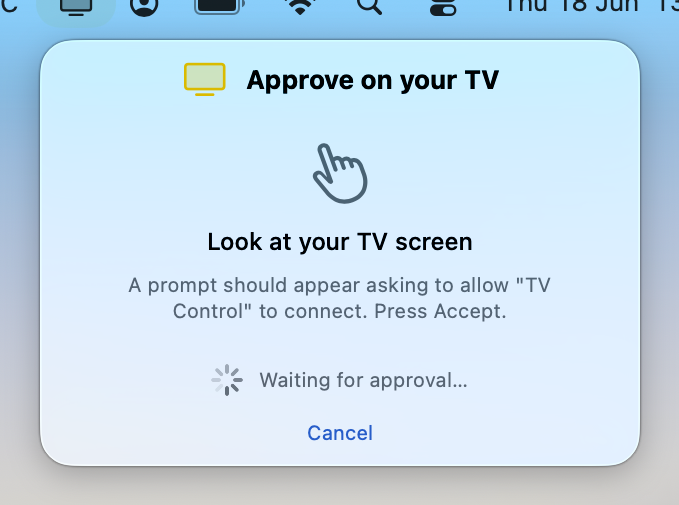
Approve the connection on your TV

Approve on TV

Accept the connection prompt on your TV screen.

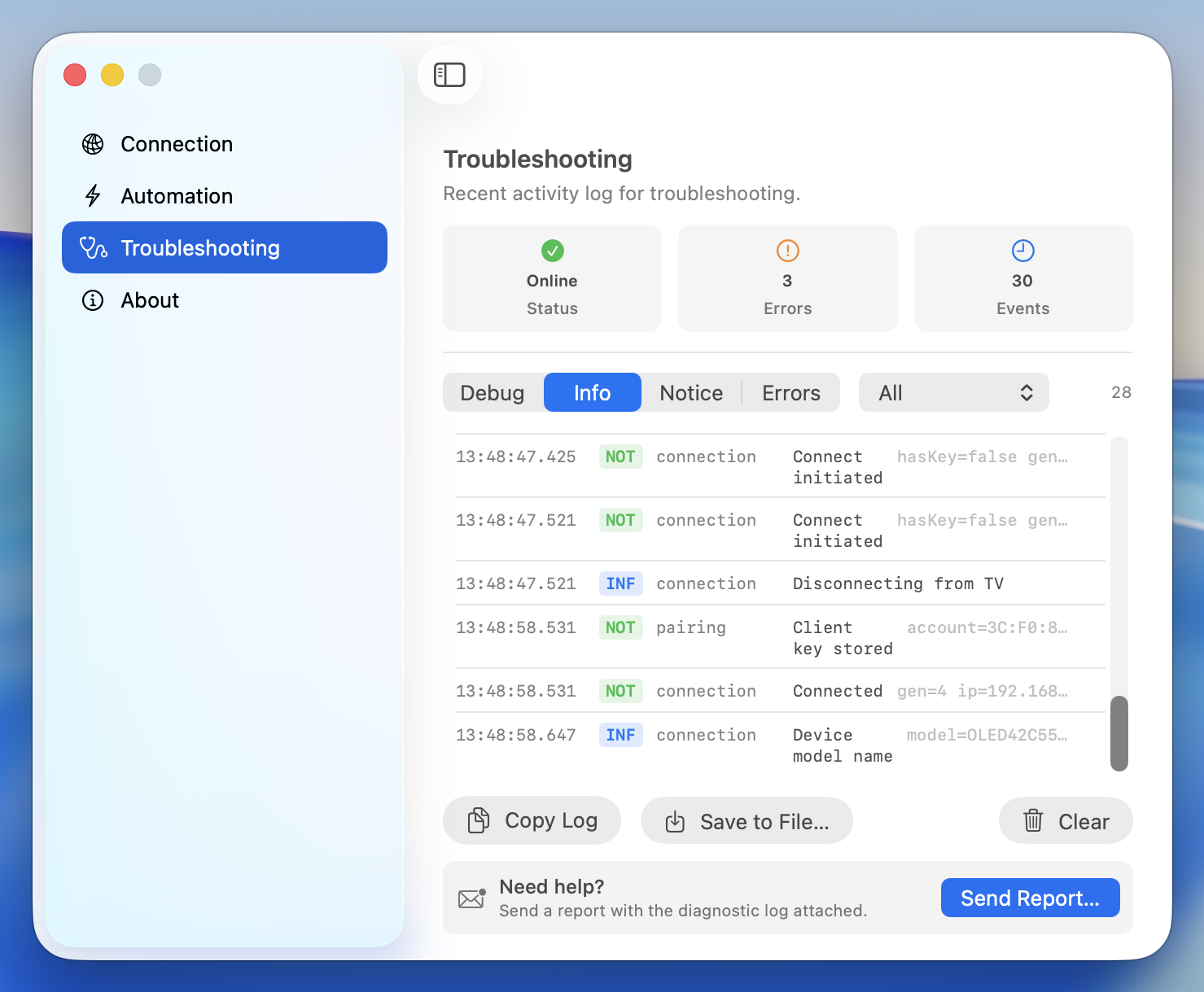
Diagnostics view showing health indicators and activity log

Fix connection issues faster.

  • Health indicators at a glance
  • Full activity log for troubleshooting
  • One-click support reports

Automatic reconnection and built-in diagnostics so you rarely need to intervene.

Built because I use an LG OLED as my primary display every day.

I got tired of reaching for the remote just to adjust volume, switch inputs or power the display. TV Control started as a personal utility and evolved into the tool I use daily.

— Alan Bryden

FAQ

Which TVs are supported?

LG TVs running webOS on your local network. Most LG smart TVs from 2018 onwards are compatible.

Does it work over Wi-Fi?

Yes. Your Mac and TV just need to be on the same network.

Do you collect any data?

No. All communication stays between your Mac and your TV. Nothing is sent externally.

The app can't find my TV

Make sure the TV is powered on (not standby) and on the same network. You can also enter the IP address manually.

Does it work with Mac mini and MacBook?

Yes. Any Mac running macOS 13 or later. Universal app for Apple Silicon and Intel.

Support

🔑

Media keys not working

Open the TV Control menu bar popover and press your volume keys while it's visible.

📡

TV not found

Confirm the TV is powered on and on the same network.

🔄

Connection drops

TV Control reconnects automatically. If it persists, restart the TV.

✉️

Still stuck?

Email support@tvcontrol.io with your macOS version and TV model.

Your LG TV, managed like a Mac display.

Control volume, switch inputs, wake your TV and manage power — directly from your Mac.

✓ Native macOS App ✓ No Accounts ✓ No Tracking ✓ 100% Local Network
Download on the Mac App Store

TV Control works entirely on your local network. No accounts, no cloud, no external servers.

Full privacy policy and terms of use.